Floor Management
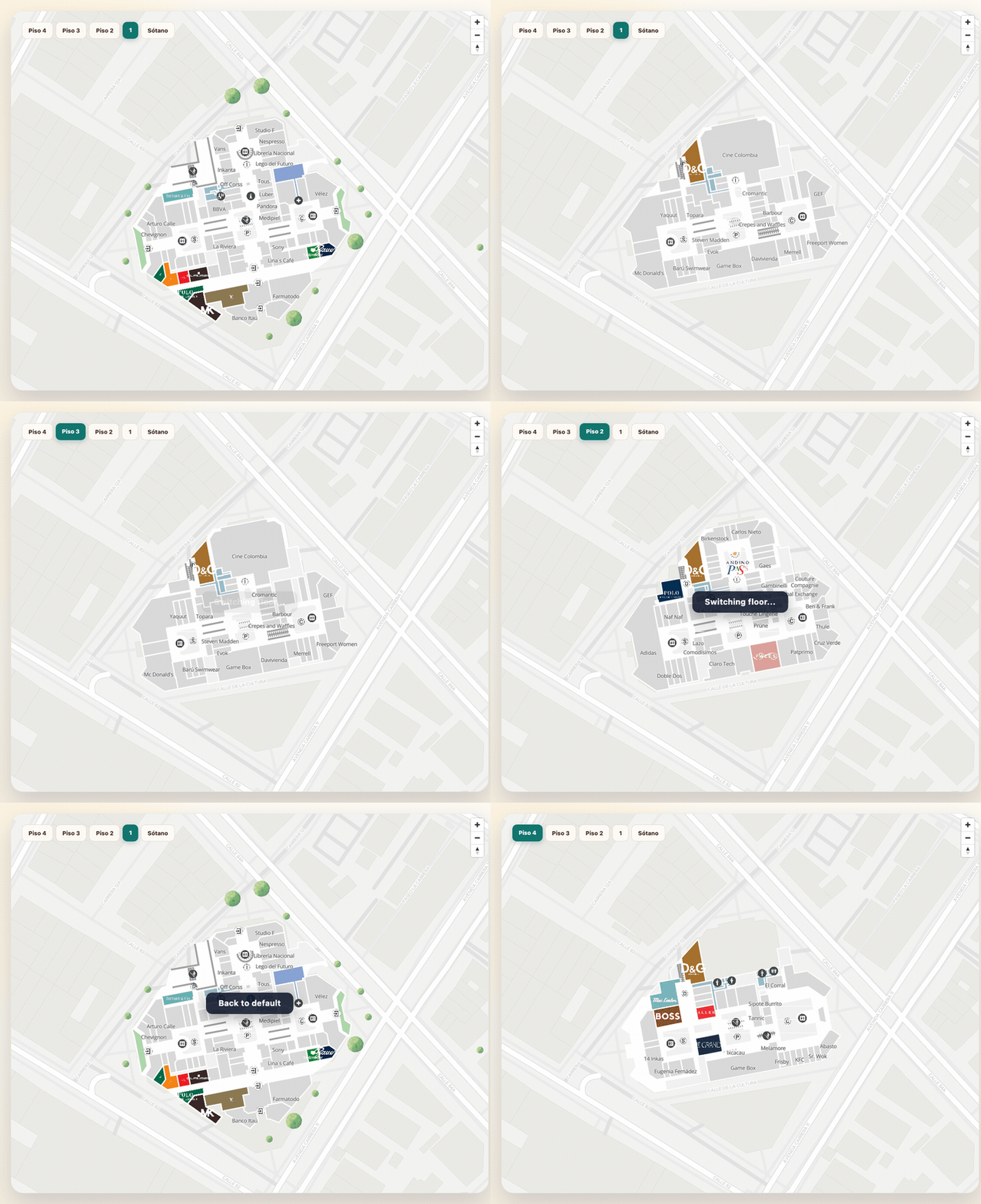
This guide documents the indoor APIs that control building and floor context:
getCurrentFloorupdateFloorupdateParentPlaceAndFloorsetParentPlaceremoveParentPlace
It also explains what changes when the same map is used outdoors.
Indoor setup
import { initializeSDK, type MVXPlace } from "@mapvx/web-js"

const sdk = initializeSDK("<YOUR_API_KEY>", { lang: "es" })

const map = sdk.createMap(document.getElementById("map") as HTMLElement, {
  center: { lat: 4.666918, lng: -74.053065 },
  zoom: 18,
  parentPlaceId: "<PARENT_PLACE_ID>",
  onFloorChange: (newFloorId: string) => {
    console.log("Floor changed", newFloorId)
  },
  onParentPlaceChange: (newParentPlaceId: string) => {
    console.log("Parent place changed", newParentPlaceId)
  },
})
Read the active floor
const currentFloorId = map.getCurrentFloor()If the map has no parent place, this returns an empty string.
Switch floors inside the same building
map.updateFloor("<FLOOR_ID>", {
  onComplete: () => {
    console.log("Floor update finished")
  },
})
This automatically refreshes polygon filters, marker visibility, and route layers for the selected floor.
Understanding InnerFloor
Each parent place exposes an InnerFloor array sorted by
index. The properties most relevant to a floor selector are:
| Property | Type | Description |
|---|---|---|
key | string | Unique floor identifier used in all SDK calls |
name | string | Full display name (e.g. “Ground Floor”) |
shortName | string? | Abbreviated label (e.g. “G”, “1F”, “B1”) |
level | number | Numeric level (negative for basements) |
defaultFloor | boolean | Whether this is the initial floor shown on entry |
reachableFromGPS | boolean? | Whether GPS positioning works on this floor |
Build a floor selector from a real parent place
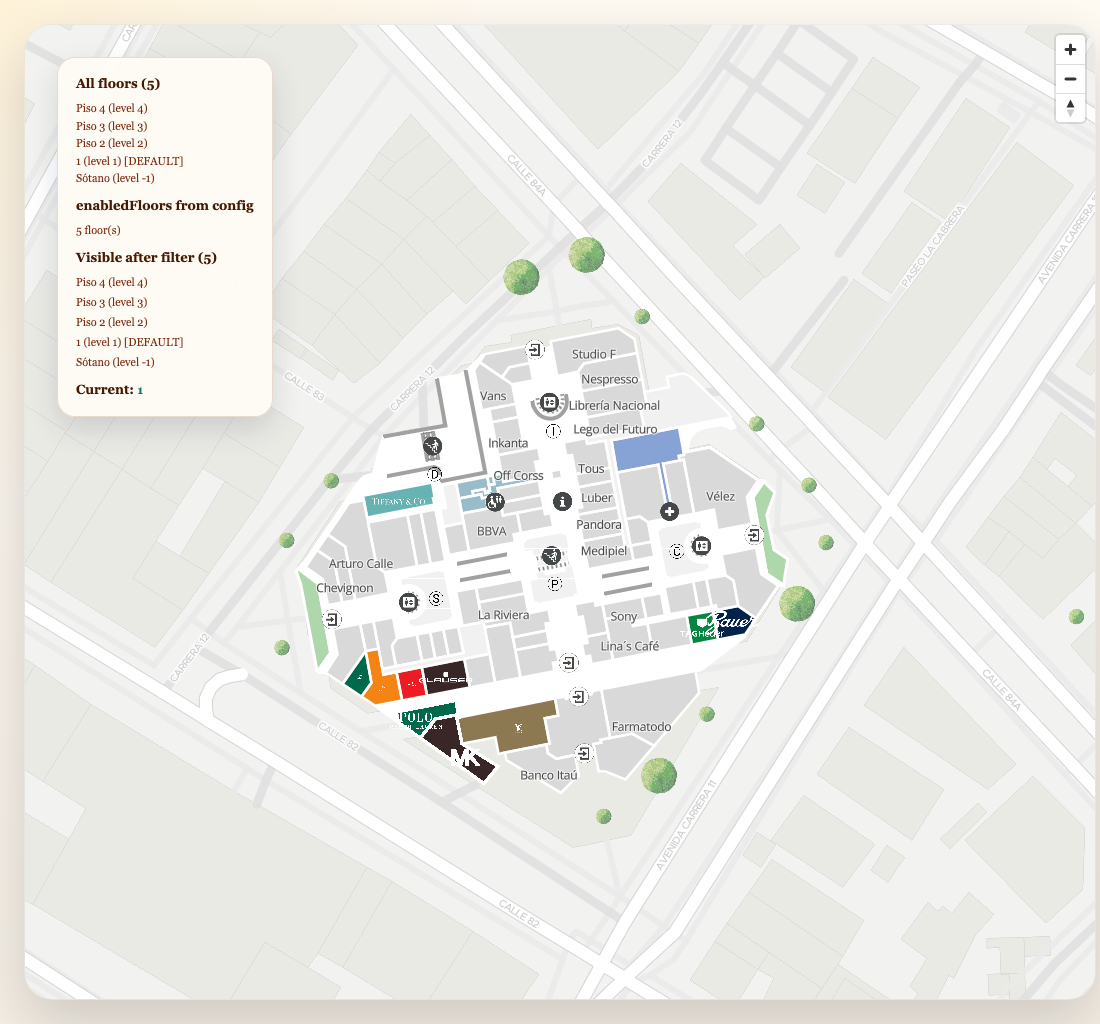
const parentPlace = await sdk.getPlaceDetail("<PARENT_PLACE_ID>")

parentPlace.innerFloors.forEach((floor) => {
  console.log(floor.key, floor.name, floor.level, floor.defaultFloor)
})

function selectFloor(floorId: string): void {
  if (map.getCurrentFloor() === floorId) return

  map.updateFloor(floorId, {
    onComplete: () => {
      console.log("Now showing", floorId)
    },
  })
}
Filter visible floors with remote configuration
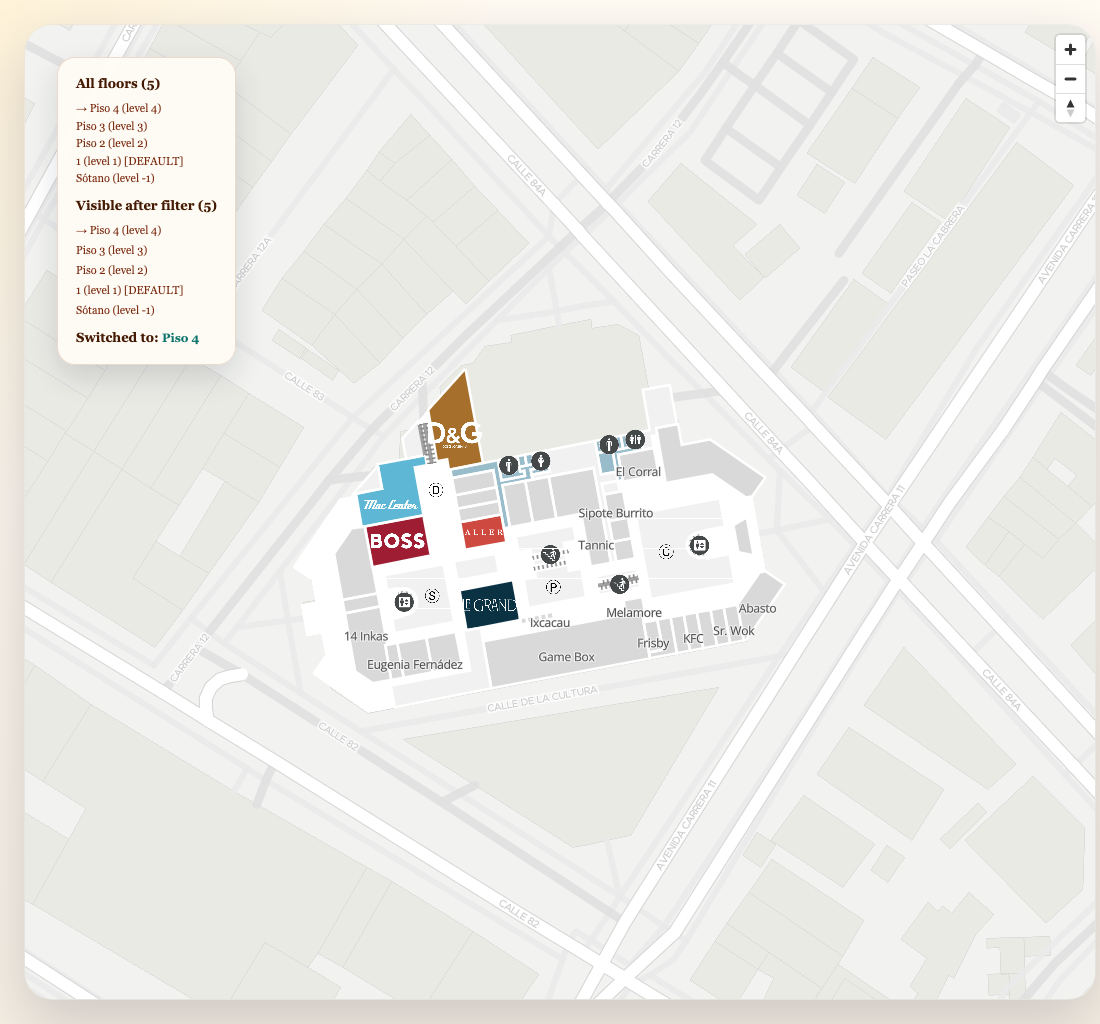
Not all floors in innerFloors should necessarily be shown to end users. The remote
Configuration includes an enabledFloors array that declares which
floor keys are visible for the current product deployment.
const parentPlace = await sdk.getPlaceDetail("<PARENT_PLACE_ID>")
const config = await sdk.getConfiguration("<PARENT_PLACE_ID>", "directory")

const allFloors = parentPlace.innerFloors

// If enabledFloors is set, only show those; otherwise show all
const visibleFloors =
  config.enabledFloors?.length > 0
    ? allFloors.filter((floor) => config.enabledFloors.includes(floor.key))
    : allFloors
Complete floor selector with filtering
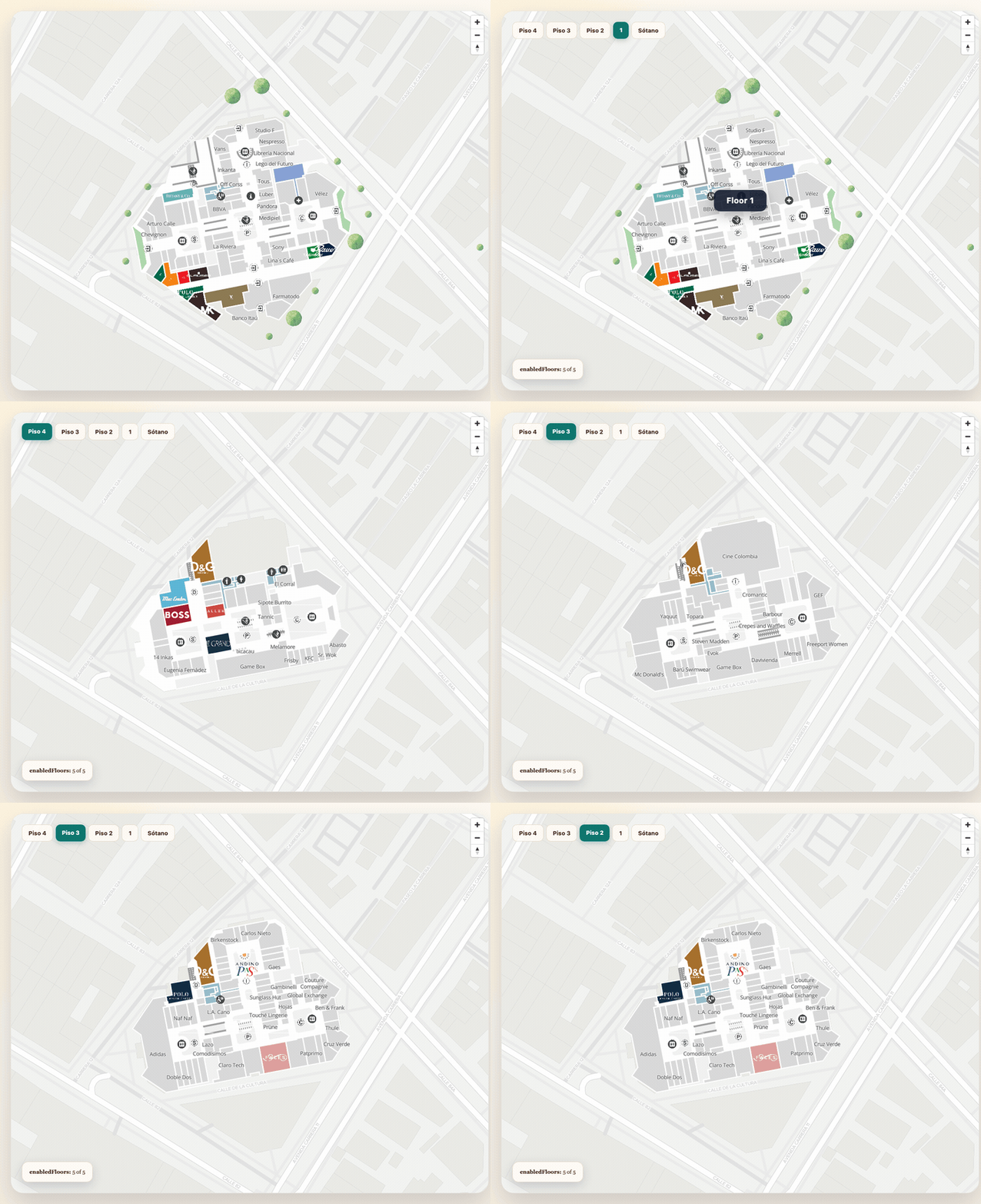
This example combines place data and remote config to render a floor selector that only shows the floors the deployment has enabled:
import { initializeSDK, type InnerFloor, type Configuration } from "@mapvx/web-js"

const sdk = initializeSDK("<YOUR_API_KEY>", { lang: "es" })

async function buildFloorSelector(parentPlaceId: string): Promise<void> {
  const [parentPlace, config] = await Promise.all([
    sdk.getPlaceDetail(parentPlaceId),
    sdk.getConfiguration(parentPlaceId, "directory"),
  ])

  const allFloors = parentPlace.innerFloors
  const visibleFloors =
    config.enabledFloors?.length > 0
      ? allFloors.filter((f) => config.enabledFloors.includes(f.key))
      : allFloors

  const defaultFloor = visibleFloors.find((f) => f.defaultFloor) ?? visibleFloors[0]

  // Render buttons
  const container = document.getElementById("floor-selector")!
  container.innerHTML = ""

  visibleFloors.forEach((floor) => {
    const button = document.createElement("button")
    button.textContent = floor.shortName ?? floor.name
    button.dataset.floorKey = floor.key
    button.classList.toggle("active", floor.key === defaultFloor?.key)
    button.addEventListener("click", () => {
      selectFloor(floor.key)
      container.querySelectorAll("button").forEach((btn) => {
        btn.classList.toggle("active", btn.dataset.floorKey === floor.key)
      })
    })
    container.appendChild(button)
  })
}

function selectFloor(floorId: string): void {
  if (map.getCurrentFloor() === floorId) return

  map.updateFloor(floorId, {
    onComplete: () => console.log("Now showing", floorId),
  })
}
Route-aware floor filtering
When a route is active, you may want the floor selector to only enable the floors the route passes through. Extract unique floor IDs from the route steps and disable the rest:
import { type MVXRoute, type InnerFloor } from "@mapvx/web-js"

function getRouteFloors(route: MVXRoute, allFloors: InnerFloor[]): InnerFloor[] {
  const routeFloorKeys = new Set(
    route.steps
      .flatMap((step) => [step.startInsideFloor, step.endInsideFloor])
      .filter(Boolean) as string[]
  )

  return allFloors.map((floor) => ({
    ...floor,
    // Attach a "disabled" flag for the UI to consume
    disabled: !routeFloorKeys.has(floor.key),
  }))
}

// After obtaining a route, update the floor selector
const route = await map.addRoute(routeConfig)
const floorsWithState = getRouteFloors(route, visibleFloors)

floorsWithState.forEach((floor) => {
  const button = document.querySelector(`[data-floor-key="${floor.key}"]`) as HTMLButtonElement
  if (button) button.disabled = floor.disabled
})
This pattern ensures users can only switch to floors that are part of their current navigation, reducing confusion in multi-floor buildings.
Switch building and floor together
Use this when a route or UI flow moves between indoor venues:
map.updateParentPlaceAndFloor("<NEW_PARENT_PLACE_ID>", "<FLOOR_ID>", {
  onComplete: () => {
    console.log("Building and floor ready")
  },
})
If floorId is omitted, the SDK falls back to the building’s default floor.
Set a parent place from an MVXPlace
This is useful when you already resolved the target building with getPlaceDetail.
const targetParentPlace: MVXPlace = await sdk.getPlaceDetail("<NEW_PARENT_PLACE_ID>")

map.setParentPlace(targetParentPlace, true, () => {
  console.log("New style loaded for the building")
})
Pass updateStyle: false only when the correct style is already loaded and you only need to update
the internal context.
Leave indoor mode
map.removeParentPlace()After this:
getCurrentFloor()returns an empty string- indoor layer filters are reset
- floor-scoped markers stop depending on the previous building context
Outdoor behavior
Outdoor maps still support the same MapVXMap instance, but floor APIs become lightweight:
getCurrentFloor()is emptyupdateFloor()does not have meaningful indoor contextremoveParentPlace()is how you intentionally return to outdoor mode after an indoor flow
Recommended indoor flow
async function openIndoorBuilding(parentPlaceId: string): Promise<void> {
  const place = await sdk.getPlaceDetail(parentPlaceId)

  map.setParentPlace(place, true, () => {
    const defaultFloor = place.innerFloors.find((floor) => floor.defaultFloor)?.key
    if (defaultFloor) {
      map.updateFloor(defaultFloor)
    }
  })
}