HTML Markers with element
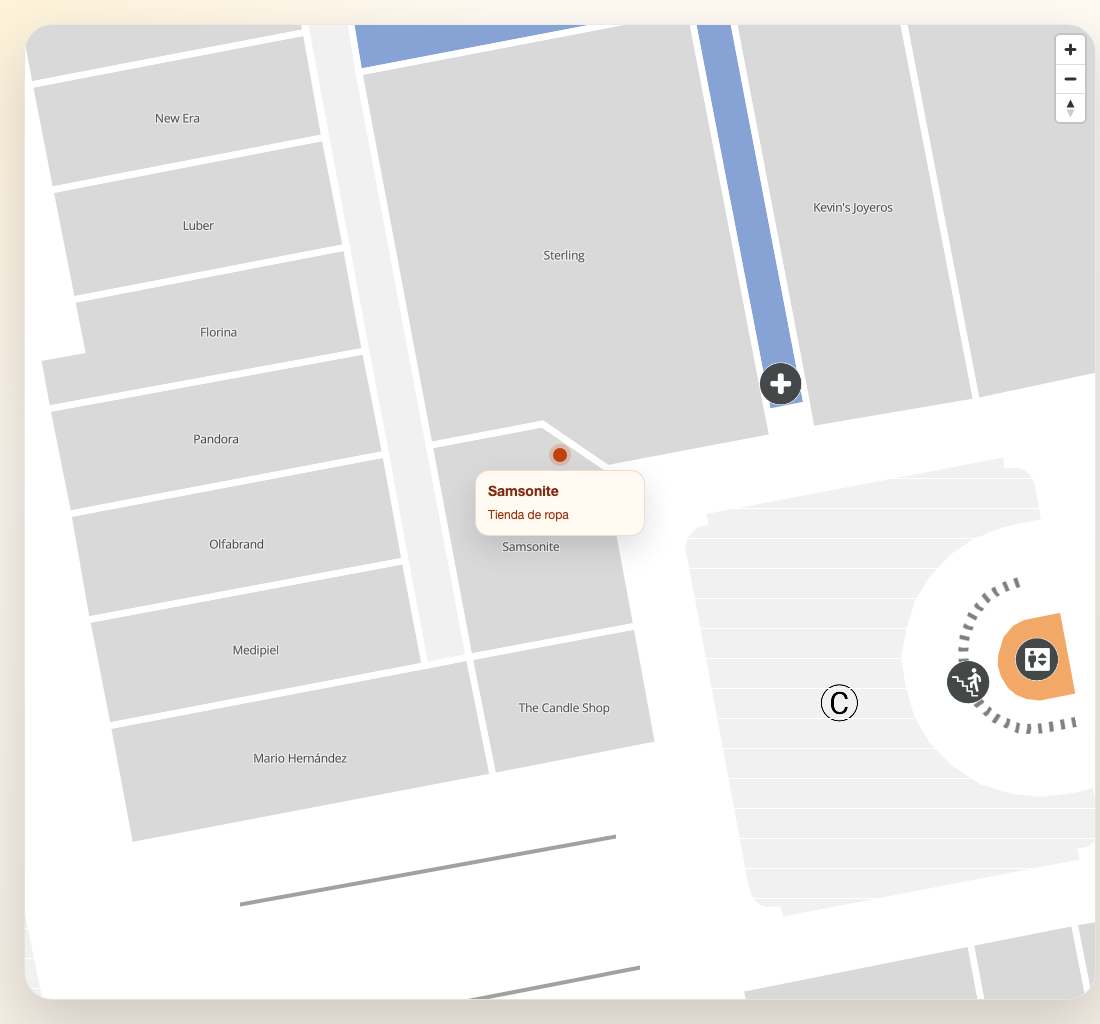
Use element when the marker should be a complete custom DOM tree instead of the SDK’s built-in
icon and text layout. This is the best fit for branded place badges, mini popovers, or markers that
need internal structure.
Why element instead of icon
iconcustomizes only the icon slot of the standard marker layout.elementreplaces the full marker element.elementis ideal when you want logos, titles, categories, and custom spacing in a single node.
Example: place card marker
This pattern is adapted from richer web component integrations, but kept in plain DOM so it works in any framework.
function createPlaceMarkerElement(place: MVXPlace): HTMLDivElement {
  const element = document.createElement("div")
  element.className = "place-marker"

  const category = place.localizedCategory || place.generalCategory || place.category

  // Show the place logo when available, otherwise fall back to a colored badge
  const logoHtml = place.logo
    ? `<img src="${place.logo}" class="place-marker__logo" onerror="this.style.display='none'" />`
    : `<div class="place-marker__badge"></div>`

  element.innerHTML = `
    ${logoHtml}
    <div class="place-marker__card">
      <div class="place-marker__title">${place.title}</div>
      <div class="place-marker__meta">${category}</div>
    </div>
  `

  return element
}

const place = await sdk.getPlaceDetail("<PLACE_ID>")

map.addMarker({
  id: `html-${place.mapvxId}`,
  coordinate: place.position,
  floorId: place.inFloors?.[0],
  element: createPlaceMarkerElement(place),
  anchor: "bottom",
})
.place-marker {
display: grid;
justify-items: center;
gap: 8px;
transform: translateY(-6px);
}
.place-marker__logo {
width: 72px;
height: 72px;
border-radius: 12px;
object-fit: contain;
background: #fff;
}
.place-marker__badge {
width: 14px;
height: 14px;
border-radius: 999px;
background: #c2410c;
box-shadow: 0 0 0 4px rgba(194, 65, 12, 0.18);
}
.place-marker__card {
min-width: 170px;
padding: 10px 12px;
border-radius: 14px;
background: #fffaf2;
border: 1px solid rgba(194, 65, 12, 0.18);
box-shadow: 0 12px 30px rgba(15, 23, 42, 0.14);
}
.place-marker__title {
font-size: 14px;
font-weight: 700;
color: #7c2d12;
}
.place-marker__meta {
margin-top: 4px;
font-size: 12px;
color: #9a3412;
}Handling clicks
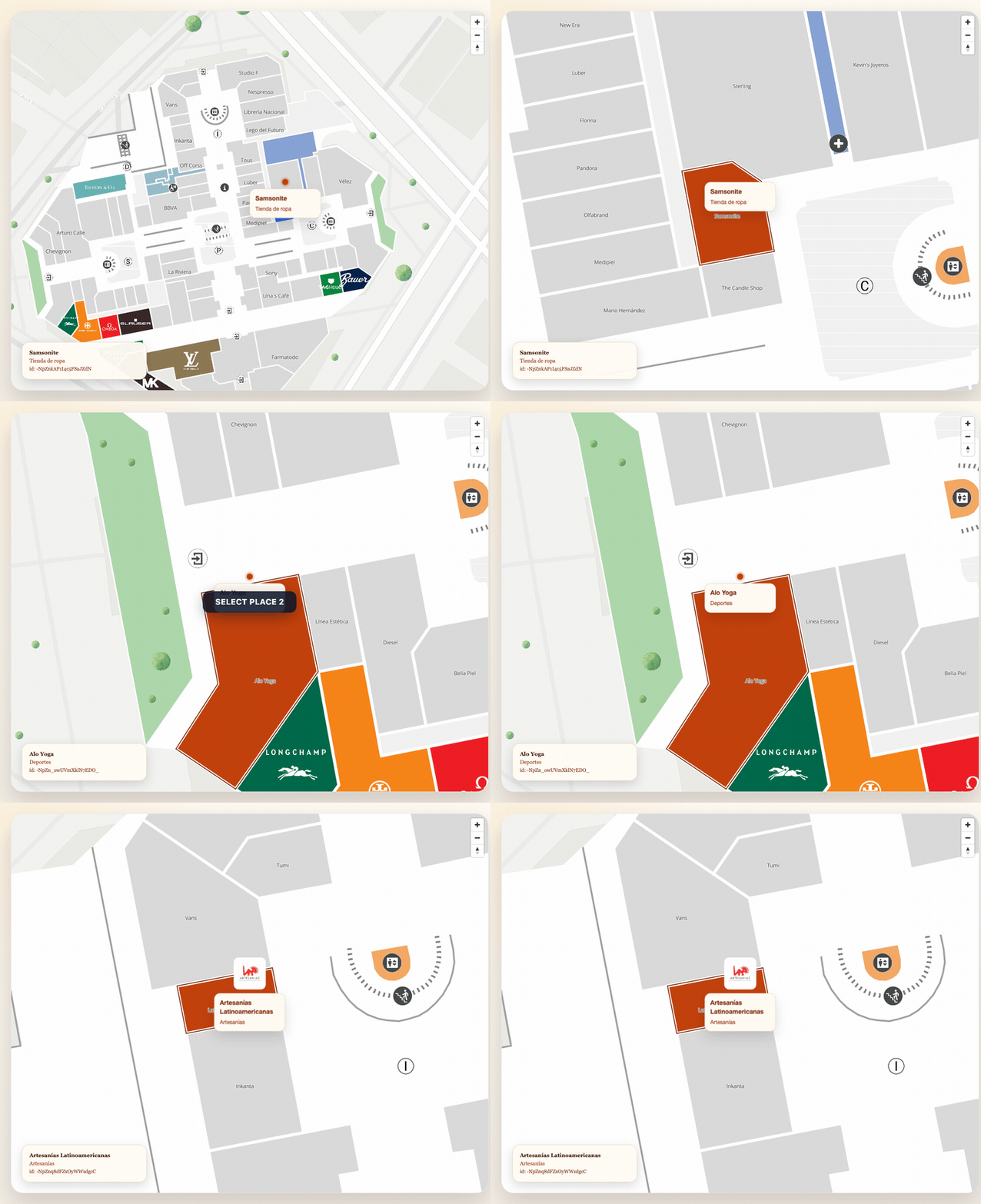
Attach listeners to the element before passing it to addMarker:
const element = createPlaceMarkerElement(place)
element.addEventListener("click", () => {
  map.setPlacesAsSelected([place.mapvxId], "#C2410C")
  map.addBorderToPlaces([place.mapvxId], "#7C2D12", 2)
})

map.addMarker({
  id: `interactive-${place.mapvxId}`,
  coordinate: place.position,
  floorId: place.inFloors?.[0],
  element,
  anchor: "bottom",
})
Performance considerations
Each HTML marker creates a real DOM node overlaid on the map. For a handful of markers (up to ~50)
this works well and gives maximum flexibility. For hundreds of markers, prefer icon: string
markers from Marker Icons — they are rendered more efficiently by
MapLibre.
Good indoor defaults
For indoor markers based on real places:
- set
floorIdtoplace.inFloors?.[0] - use
anchor: "bottom"for pin-like cards - combine
elementwithsetPlacesAsSelectedwhen the marker is tied to a polygon
For a fuller place-driven flow, continue with Places, Markers, and Routes.